 Clearstamp
Photo proof your work happened.
Clearstamp stamps the time, date, address, GPS coordinates and a map on every photo, and seals it with a fingerprint so any change shows. Free, no ads, no account.

Free on iPhone and iPad. Not on Android.
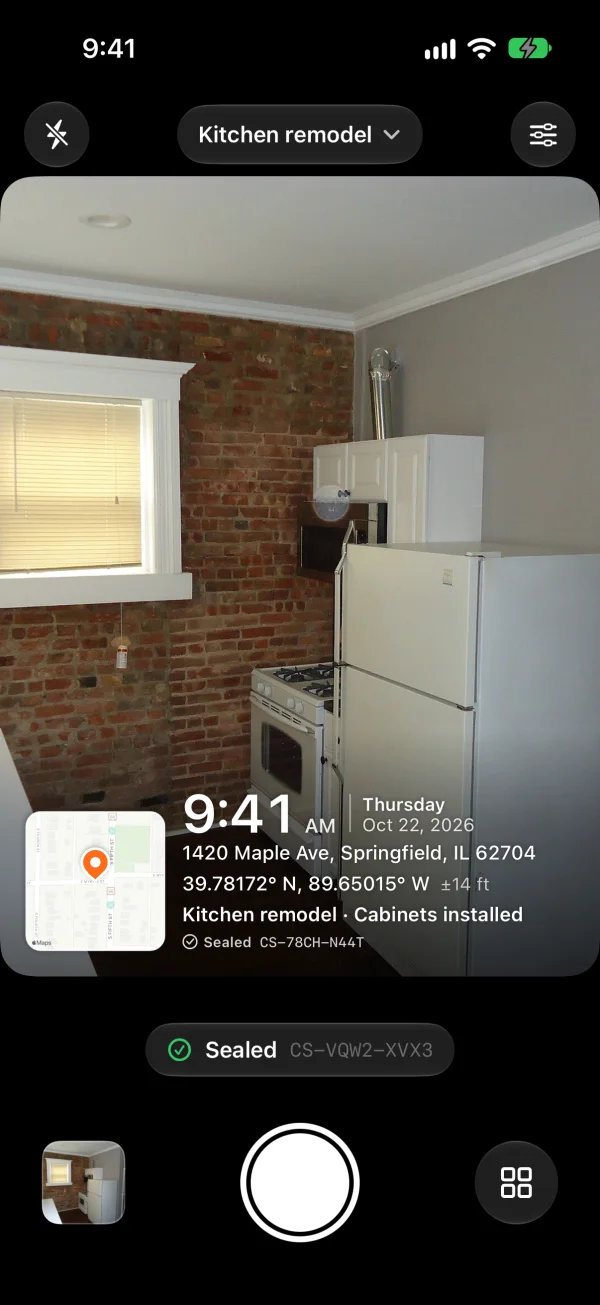
A calm, honest timestamp camera
Built for people who have to show when and where a photo was taken: contractors, inspectors, property managers, cleaners, delivery and field crews.
Live time and place stamp
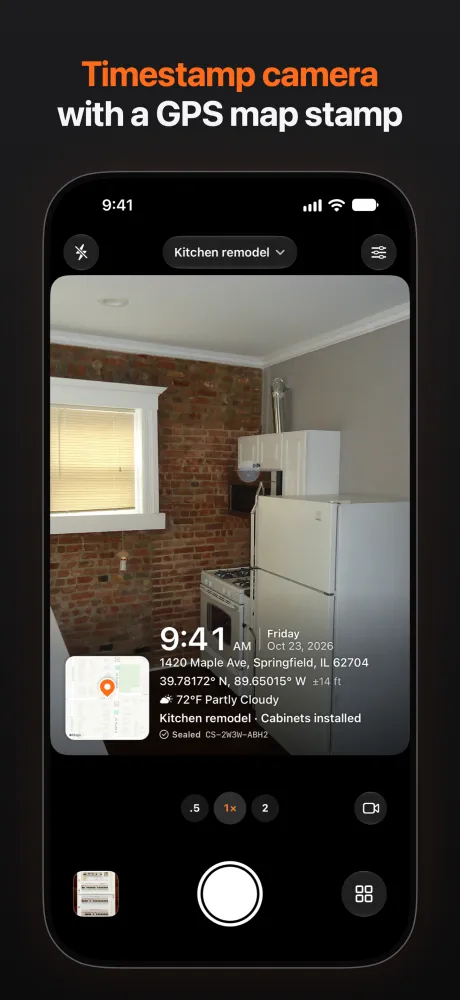
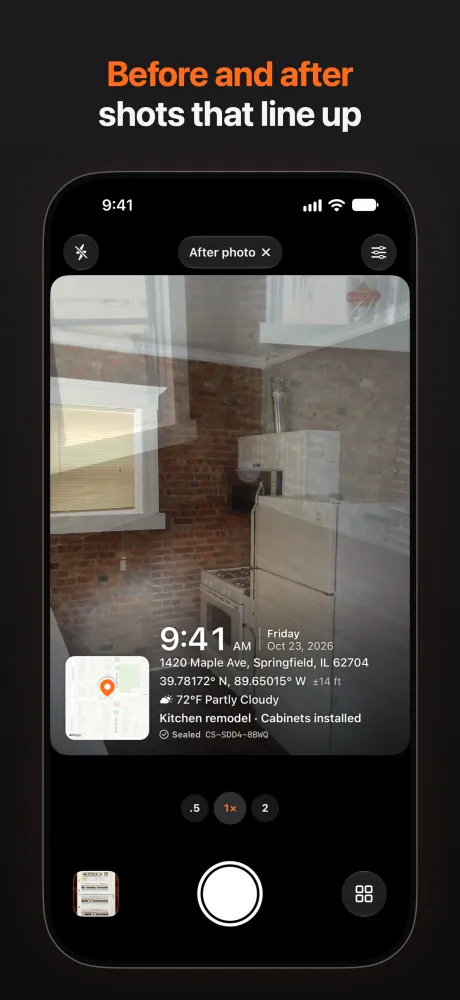
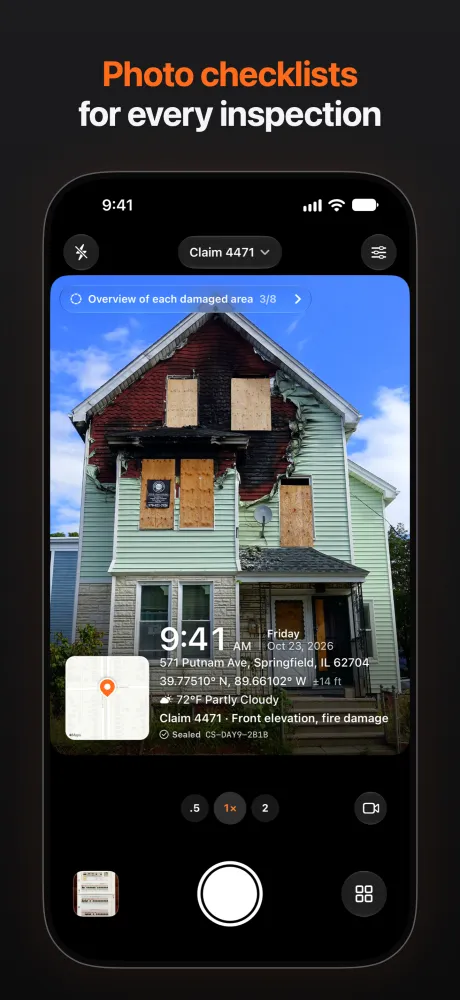
Time, date, address, GPS coordinates with accuracy, and a small map on every photo. Opens straight to the camera.
A seal on every photo
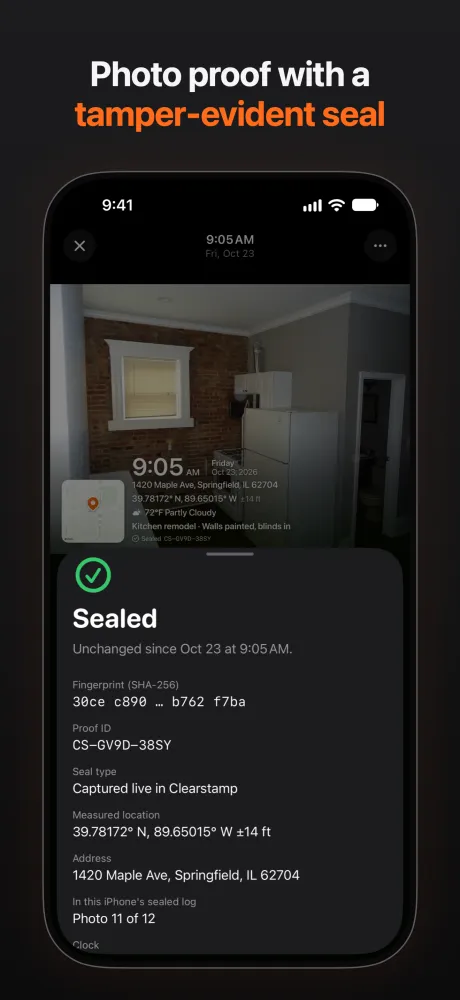
A SHA-256 fingerprint signed on your iPhone and chained to the photo before it. Check a photo shows whether it has changed.
Clock check
Clearstamp checks your iPhone's clock against Apple's time, so a wrong clock can't quietly change the stamp.
Jobs and before and after
Keep photos by job. Pro adds unlimited jobs and side-by-side before and after.
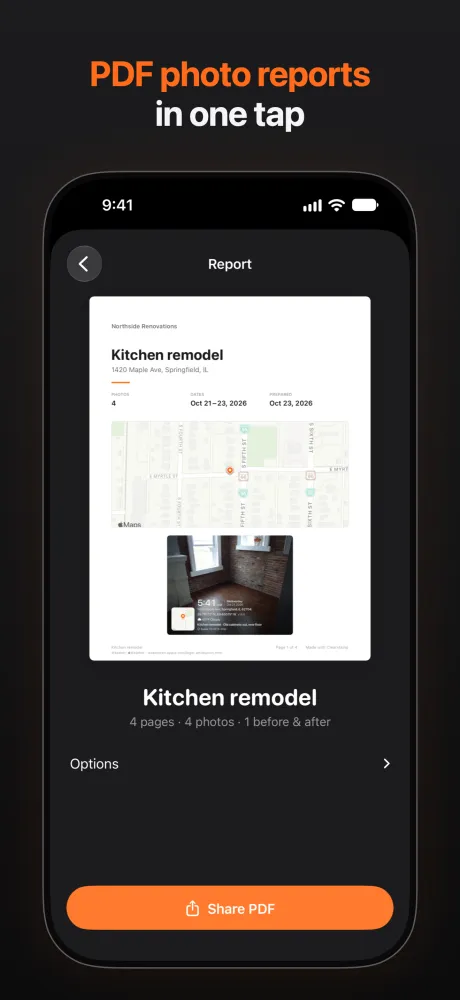
PDF reports in one tap
A cover map, photo pages and a page with every fingerprint. Previews are free; sharing the PDF is Pro.
Photo checklists
Five built-in checklists and your own, so nobody misses a shot. Pro.
Shared jobs for crews
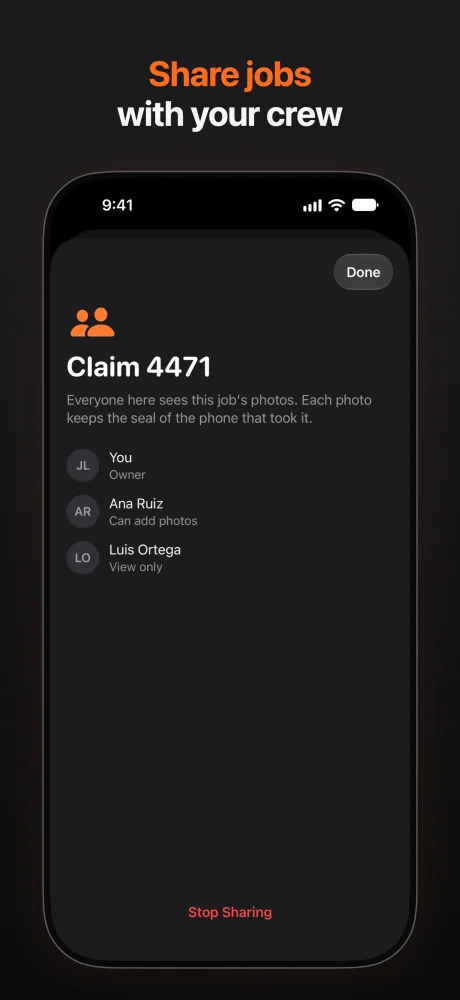
Share a job through iCloud and everyone's photos land in one place. Joining is free; sharing is Pro.
No account, no ads
Photos stay on your iPhone and in your own iCloud. Clearstamp has no servers that see them.
See it on your phone
How it works
Open the camera
Clearstamp opens straight to the camera with the stamp already live.
Take the photo
Time, address, GPS and map are stamped and the photo is sealed.
File it to a job
Add a note, mark before or after, tick a checklist item.
Send the proof
Save to Photos, or share a PDF report with every fingerprint.
Free photo timestamp checker
Drop in a photo to see the date and time it was taken, its GPS location, camera and fingerprint. It runs in your browser; nothing is uploaded.
Free to start
Free to download, with unlimited stamped and sealed photos. Clearstamp Pro is $39.99 a year with a 7-day free trial, $6.99 a week, or $99.99 once. The store shows prices in your currency.
Free
- Unlimited stamped and sealed photos
- Address, GPS and map stamp
- Clock check and Check a photo
- One job plus Unfiled
- Join jobs others share
Clearstamp Pro
- Unlimited jobs, before and after
- Share PDF reports, xlsx and CSV logs
- Your company name and logo on the stamp
- Checklists, video, weather, custom fields
- iCloud Backup and sharing jobs
Questions
Is Clearstamp free?
Yes. Clearstamp: Timestamp Camera is free to download and free to use for unlimited stamped and sealed photos, with the map, fixing the address, the clock check, Check a photo, saving to Photos and one job (photos can always go to Unfiled). There are no ads.
Clearstamp Pro adds unlimited jobs, PDF report sharing, before & after, iCloud Backup, company name and logo, custom fields, weather, checklists, video, library stamping, spreadsheet photo logs, the compass, stamp size and position, and sharing a job. See features for the full list.
How much does Clearstamp Pro cost?
Clearstamp Pro is $39.99 a year with a 7-day free trial, $6.99 a week with no trial, or $99.99 once for lifetime access. Prices are in US dollars; the App Store shows the price in your own currency, and prices can vary by country.
The trial comes with the yearly plan only, if you haven't had one. Cancel in iPhone Settings › your name › Subscriptions at least 24 hours before the trial ends and you pay nothing. More on the pricing page.
Does Clearstamp put a watermark on photos?
Free photos taken since version 1.1 end with one small line of text in the stamp: "Stamped with Clearstamp". There is no logo over the photo. With Clearstamp Pro the line goes away, and you can put your own company name and logo on the stamp instead.
If you used Clearstamp before version 1.1, your photos stay without the line, even without Pro.
Is there an Android version of Clearstamp?
No. Clearstamp runs only on iPhone and iPad, with iOS 26 or iPadOS 26 or later. There is no Android version.
Does Clearstamp work offline?
Yes. With no connection, Clearstamp still takes photos and stamps them with the time, date and GPS coordinates, and seals them. GPS itself doesn't need the internet.
Three things need a connection. The street address comes from Apple Maps, so a new address can't be looked up offline: check the address on the viewfinder before you shoot, and type the right one with Fix the address if needed. The map square is left off a photo when no map is ready, and the seal records that it was unavailable. The clock check is carried forward from the last check for up to 24 hours, but not after the phone restarts. iCloud Backup catches up when you're back online.
How accurate is the GPS location and address on the stamp?
The coordinates on a Clearstamp photo are exactly what the iPhone measured, and the stamp shows the iPhone's own accuracy estimate next to them, for example ±16 ft. Outdoors with a clear view of the sky that is usually a few metres; indoors, where the iPhone relies on Wi-Fi and mobile networks, it can be tens of metres.
The street address is Apple Maps' best match for those coordinates, so it is sometimes a range or the neighbour's house number. If the position is more than two minutes old, the stamp says how old. The GPS map stamp guide has tips for better accuracy.
Guides
Plain answers to the questions people ask us most.
Add a timestamp to iPhone photos
The iPhone Camera saves the date and time in a photo's metadata but never prints it on the image. How to add a visible date, time and location stamp instead.
GPS map stamps explained
A GPS map stamp prints the address, coordinates, accuracy and a map on a photo. How it works on iPhone, how accurate it is, and how to fix a wrong address.
Photo documentation for contractors
How contractors document a job site with photos: what to shoot before, during and after, how to file it by job, and how to send a PDF report clients can check.
Prove when a photo was taken
A photo's date sits in EXIF metadata that anyone can edit. What makes the time credible: a visible stamp, a file fingerprint, a signed seal and a clock check.
Before and after photo reports
A before and after photo report pairs each before shot with an after from the same angle, with date, time and place. What to include and how to make one.
Proof your work happened. Time, place and a seal on every photo.
Clearstamp: Timestamp Camera. Free on iPhone and iPad. Not on Android.